
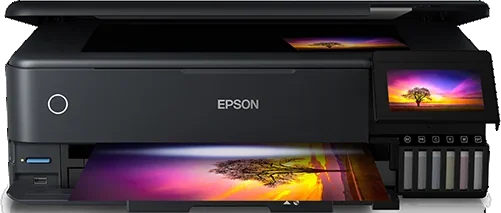
The Epson L8180 is supported in ZoroPrint on Mac, Windows and Linux. It is the printer we measured in September 2026, so its profile holds confirmed values, not estimates. You need a DTF conversion with white in the photo black and grey tanks, and one channel test on film.
The L8180 is our reference printer for this head
Profiles for new Epson models are often derived from documents. The L8180 profile is not. We printed test charts on a real L8180 and confirmed four things: the channel map, the geometry, the scale and the head offset of each channel. The ET-8550, the same machine sold under its EcoTank name, uses these values too.
The head offsets come from a head-alignment chart printed on 23 September 2026. The chart prints each ink’s grating against the black one at eight candidate offsets. The palest patch gives the answer. The table shows the result, in the order the channel test prints the blocks.
| Test block | Epson ink | After conversion | Head offset (1/360″) |
|---|---|---|---|
| 1 | Photo black | White | 1 |
| 2 | Grey | White | 0 |
| 3 | Magenta | Magenta | 0 |
| 4 | Cyan | Cyan | 1 |
| 5 | Black | Black | 0 |
| 6 | Yellow | Yellow | 1 |
Converting the L8180
A DTF kit for the L8180 puts white in the photo black and grey tanks. On a six-ink photo printer these two channels are extra: the colour layer needs only cyan, magenta, yellow and black. The black (BK) tank keeps printing the K. ZoroPrint starts the L8180 with exactly this layout.
For the hardware side, follow your kit’s instructions. We give no firmware advice. You convert at your own risk, and the printer loses Epson’s warranty.
After the conversion, print the channel test on film. Blocks 1 and 2 must print white. If your kit filled other tanks, the “Wrong colours?” assistant rewrites the mapping. You can also change the ink layout of each channel in the Printer tab.
Starting settings and the measured bidirectional values
Start with the RIP defaults. Change one value at a time and press a test after each change.
| Setting | Default |
|---|---|
| Resolution | 1440 × 720, the everyday setting |
| Ink limits | C 80 %, M 80 %, Y 70 %, K 70 % |
| Total ink limit | 200 % |
| GCR | 60 % |
| White | Density 80 %, choke 0.1 mm, smart choke on |
| Screening | Error diffusion |
| Order | Colour first, white on top |
The RIP also applies the bidirectional correction by itself. We measured it on the L8180 for each resolution, because one number did not fit every mode. The carriage needs a different correction at 1440 × 1440.
- 1440 × 720: +1, in units of 1/1440″ (about 0.018 mm).
- 720 × 720: 0, in units of 1/720″ (the error was under half a unit).
- 1440 × 1440: +8, in units of 1/2880″ (about 0.071 mm).
We checked each value with a second set of charts, printed with the correction on. If vertical lines still look doubled on your printer, switch to Expert mode and print the head alignment test at that resolution. Enter the result in “Head gap (bidi)”. ZoroPrint keeps your value for that resolution and uses ours for the others.
What can still go wrong on an L8180
- Wrong colours. Our channel map fits the standard kit, but kits differ. Print the channel test and let the “Wrong colours?” assistant fix the mapping.
- Colours not in register. The offsets above come from one printer. If one colour looks shifted on fine text, print the head alignment chart and send us a photo. We want to know if a second L8180 differs.
- Thin lines across the print. That is banding. See the banding guide.
- White that fades or shows gaps. The pigment settles in the tanks. Use the white ink care routine.
What you need to run it
ZoroPrint runs on macOS 13 or later (Apple Silicon and Intel), Windows 10/11 64-bit and Linux x64, as a .deb or an AppImage. It sends the job to the L8180 over USB or over the network on raw port 9100, without the Epson driver. The connection guide shows both.
There is no dongle. The licence is on your account. The Free plan needs an internet connection for each print, and paid plans keep printing up to 30 days offline. The pricing page lists the plans.
Related pages
- Epson ET-8550: the same printer under its EcoTank name.
- Epson L8160: the A4 sibling. Same channels and head offsets, but experimental, and its bidirectional correction starts at 0.
- Epson ET-8500: the A4 sibling of the ET-8550, also experimental.
- XP-15000 vs L1800 for DTF: the other two common A3+ choices, side by side.
Download ZoroPrint and start with the channel test on your L8180.
Unduh gratisPertanyaan yang sering diajukan
- What exactly did you measure on the L8180?
- The channel map, the geometry, the scale and the head offset of each channel, in September 2026. We also measured the bidirectional correction for each of the three resolutions.
- Why is the correction so much larger at 1440 × 1440?
- That mode counts in smaller units (1/2880″), and the carriage needs a different correction there. One number could not fit every resolution, so the RIP stores one value for each.
- Do the L8180 values work on an L8160?
- The L8160 profile uses the same channels and head offsets, but it is still experimental. Its bidirectional correction starts at 0, so print the head alignment test first.
- Do I need the Epson driver?
- No. ZoroPrint sends ESC/P2 straight to the printer over USB or the network. The job does not go through the Epson driver.