
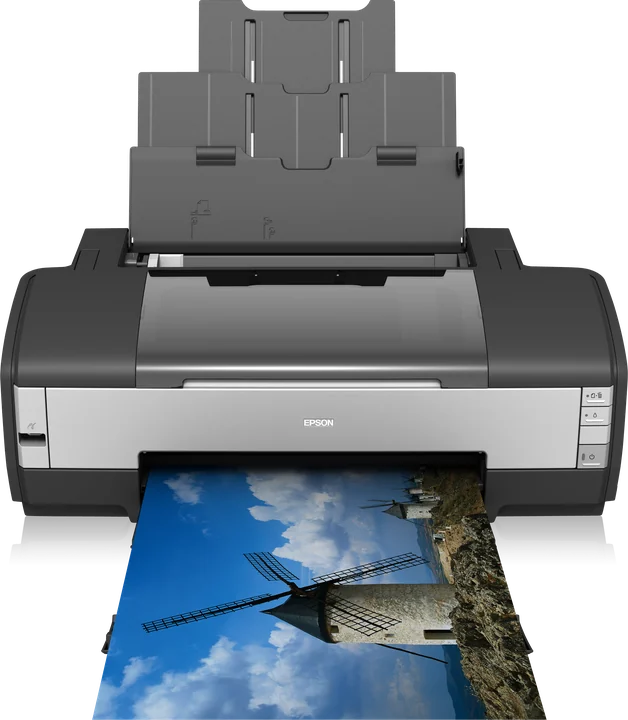
The Epson Stylus Photo R1390 is supported in ZoroPrint (not yet verified on hardware), on Mac, Windows and Linux. You need a DTF conversion with white ink in the light cyan and light magenta tanks, a USB cable and a ZoroPrint account. The RIP drives the printer itself, so no Epson driver is needed for the job.
Converting the R1390: white goes in the light channels
The R1390 is a six-colour A3+ photo printer, 329 mm wide, with the same 90-nozzle head as the L1800. A DTF kit replaces Epson’s inks with DTF inks. White goes into the light cyan and light magenta positions. Cyan, magenta, yellow and black stay where Epson put them. Follow the kit’s instructions for the conversion itself. We give no firmware advice, and a conversion is done at your own risk, outside Epson’s warranty.
ZoroPrint’s R1390 profile expects exactly that layout. Its ink table runs LC, LM, M, C, K, Y. So the channel test on film should show white in blocks 1 and 2, then magenta, cyan, black and yellow. If it does, the mapping is right. If a block shows another colour, your kit is laid out differently. Use “Wrong colours? Diagnose” in the Printer tab, or set that channel’s ink by hand.
Starting settings for the R1390
These are the RIP’s defaults. Change one thing at a time, and check each change with a test print.
| Setting | Default | Note |
|---|---|---|
| Resolution | 1440 × 720 | The everyday setting. 720 × 720 and 1440 × 1440 are also offered. |
| Ink limits | C 80 %, M 80 %, Y 70 %, K 70 % | Per channel |
| Total ink limit | 200 % | All colour channels together |
| White density | 80 % | From LC + LM |
| White choke | 0.1 mm, smart choke on | Keeps white inside the colour edge |
| GCR | 60 % | Black replaces part of the CMY mix |
| Screening | Error diffusion | — |
| Layer order | Colour first, white on top | — |
One thing makes the R1390 different from an L1800, even with the same head. ZoroPrint drives this family with the settings of Gutenprint’s model 82: its own dot sizes, and 360 dpi passes in the modes above 720 dpi. So 1440 × 720 on an R1390 is built from different dots than 1440 × 720 on an L1800. These 1400-family modes are not yet confirmed on a physical printer. The profile marks them as not verified.
- Print the channel test on film once after converting. It costs one strip of film.
- Print a small test sheet at 1440 × 720 before your first real job. Check edges, white coverage and fine lines.
- Tell us what you see. A photo of the test strip is enough. Reports like this get the family verified.
What goes wrong on an R1390
- A tired head. The R1390 was built as a photo printer. A unit that sat for years with dried ink may never print reliable white. If you can, print a nozzle check before you buy one used.
- Light channels that carry white. White is the heaviest ink in the printer, and here it runs through the two light channels. If white rows break in the nozzle check, look at the light cyan and light magenta lines first.
- White settling. White pigment settles within days. Stir it daily and print a purge strip every 2–3 days. See white ink care.
- Banding. Fine lines can come from nozzles, bidirectional timing or the film feed. No bidirectional correction has been measured on this family yet, so try one print with Bidirectional off. The banding guide gives the full order of checks.
- Blue or pink prints. This is a channel mapping problem, not a colour profile problem. Print the channel test again.
Computers and connection
- macOS 13 or later, on Apple Silicon and Intel.
- Windows 10 and 11, 64-bit.
- Linux x64, as a .deb package or an AppImage.
- Connect the R1390 by USB. The connection guide shows the steps for each system.
- No Epson driver is needed for the job, and there is no dongle. The licence is tied to your account.
- The Free plan needs an internet connection for each print. Paid plans keep printing up to 30 days offline. See pricing.
Related printers and guides
The R1400 / 1410 and the Artisan 1430 / Stylus Photo 1500W use the same head, the same model-82 modes and the same ink layout as the R1390. The L1800 has the same head family and the same A3+ width. It is driven differently above 720 dpi, and it starts with white in the M + C tanks. For colour work after the first test, read ICC profiles for DTF.
Download ZoroPrint, print the channel test on your R1390 and send us a photo of the strip.
Atsisiųsti nemokamaiDažniausiai užduodami klausimai
- Is the R1390 driven like the R1400?
- Yes. For the RIP they share the head, the dot sizes and the ink layout. Each has its own profile, and the RIP picks the right one from the name the printer reports.
- Will ZoroPrint find my R1390 by itself?
- Usually, yes. When the printer reports “R1390” or “Stylus Photo 1390”, the RIP switches to the R1390 profile and shows a short notice. You can also pick “Epson Stylus Photo R1390” by hand in the Printer tab.
- Can I print at 1440 × 1440 on the R1390?
- Yes, the mode is offered. Like 1440 × 720, it uses 360 dpi passes and is not yet confirmed on hardware. Print a test sheet first and tell us how it looks.
- Does the channel test use one of my Free jobs?
- No. Maintenance prints never use a Free job: the channel test, head alignment and nozzle check are free on every plan.