
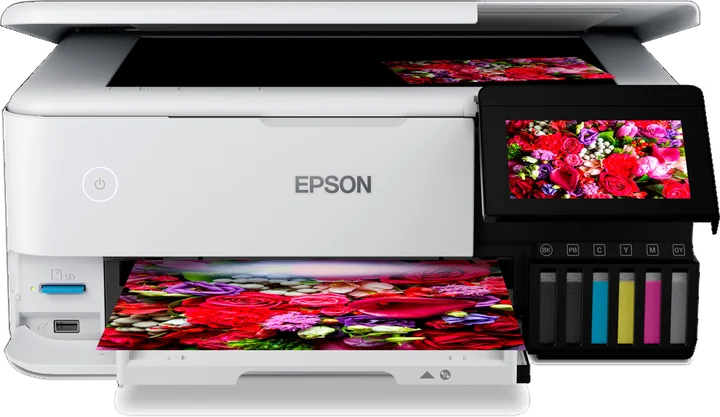
The Epson EcoTank ET-8550 is supported in ZoroPrint on Mac, Windows and Linux. We validated it on real hardware in September 2026. You need a DTF conversion with white in the photo black and grey tanks, one channel test on film, and a USB or network connection.
Converting the ET-8550: where the white goes
The ET-8550 has six inks: black, cyan, magenta, yellow, photo black and grey. The colour layer of a DTF print needs only cyan, magenta, yellow and black. So a DTF kit fills the photo black and grey tanks with white, and the black (BK) tank keeps printing the K. ZoroPrint starts every ET-8550 with this layout.
Follow your conversion kit’s instructions for the hardware and the ink change. We give no firmware advice. A conversion is done at your own risk, and the printer loses Epson’s warranty.
Why only the channel test can confirm the mapping
On many Epson printers you can capture what the Windows driver sends and see which code goes to which tank. On the ET-8550 you cannot. Its Epson Windows driver speaks ESC/P-R, which sends RGB to the printer, not separate ink channels. ZoroPrint sends raw ESC/P2, one channel at a time.
The channel codes in our profile come from public ESC/P2 prints made on a real ET-8550 (a Gutenprint feature request from July 2025): black 0, magenta 1, cyan 2, yellow 4, grey 0x10, photo black 0x40. The only way to confirm them on your printer is to print the channel test on film.
- Load a strip of film and choose Ink settings → Print channel test.
- Check blocks 1 and 2. On a converted ET-8550 they are photo black and grey, so both must print white.
- Check blocks 3 to 6. They must print magenta, cyan, black and yellow, in that order.
- If a block is wrong, open “Wrong colours? Diagnose” in the Printer tab and enter what you saw.
Starting settings for the ET-8550
These are the RIP defaults. Start with them, press a test on a dark garment, and change one value at a time.
| Setting | Start at |
|---|---|
| Resolution | 1440 × 720 (the everyday setting); 720 × 720 and 1440 × 1440 also available |
| Ink limit per channel | C 80 %, M 80 %, Y 70 %, K 70 % |
| Total ink limit | 200 % |
| GCR | 60 % |
| White density | 80 % |
| White choke | 0.1 mm, smart choke on |
| Screening | Error diffusion |
| Layer order | Colour first, white on top |
| Bidirectional correction | Set by the RIP for each resolution |
The RIP applies the bidirectional correction by itself. We measured it on an L8180, which is the same machine: +1 at 1440 × 720, 0 at 720 × 720 and +8 at 1440 × 1440, each in that mode’s units. You do not need to enter these values.
If vertical lines still look doubled, your carriage differs a little from ours. Switch to Expert mode and print the head alignment test at the resolution you use. Enter the result in “Head gap (bidi)”. ZoroPrint saves that value for this printer and this resolution only. For the sharpest fine lines, you can also turn bidirectional printing off.
Problems we see on the ET-8550
- Wrong colours after conversion. A blue, pink or single-colour print means the tanks and the mapping do not agree. Print the channel test and use the “Wrong colours?” assistant. On this model the Epson driver cannot give you the answer.
- Colours out of register. Each ink row sits at a slightly different place on the head. In the public test behind our channel codes, every head offset was 0 and the channels printed out of register. ZoroPrint now uses offsets measured with a head-alignment chart on an L8180.
- Thin lines across the print. That is banding, not a mapping problem. Work through the banding guide.
- Weak or patchy white. White pigment settles in the tanks and the lines. Follow the daily routine in white ink care.
Compatibility
- macOS 13 or later, on Apple Silicon and Intel. Windows 10/11 64-bit. Linux x64 (.deb and AppImage).
- USB, or the network on raw port 9100. See connecting the printer.
- No Epson driver for the job: ZoroPrint sends ESC/P2 straight to the printer.
- No dongle. The licence is on your account, with a signed token for each computer.
- The Free plan needs an internet connection for each print. Paid plans keep printing up to 30 days offline. See pricing.
Related printers and guides
- Epson L8180: the same printer under its Europe and Asia name, and the unit we measured.
- Epson ET-8500: the A4 sibling, 216 mm wide. Same channels, still experimental.
- Epson L8160: the A4 sibling of the L8180, also experimental.
- XP-15000 vs L1800 for DTF: read this if you still choose which A3+ printer to buy.
Download ZoroPrint and print the channel test on your ET-8550.
Lejupielādēt bez maksasBiežāk uzdotie jautājumi
- Is the ET-8550 the same printer as the L8180?
- Yes. Epson sells the same machine as the EcoTank ET-8550, and as the L8180 in Europe and Asia. ZoroPrint uses the same channels, head offsets and bidirectional correction for both.
- Can I check the ink mapping in the Epson driver?
- No. The ET-8550’s Windows driver speaks ESC/P-R and sends RGB, so it never shows the channel codes. Print the channel test on film instead.
- Do I need to enter the bidirectional correction?
- No. The RIP applies the measured value for each resolution. Change it only if vertical lines still look doubled.
- Does the channel test use one of my Free jobs?
- No. Maintenance prints, such as the channel test, the head alignment and the nozzle check, never use a Free job.