
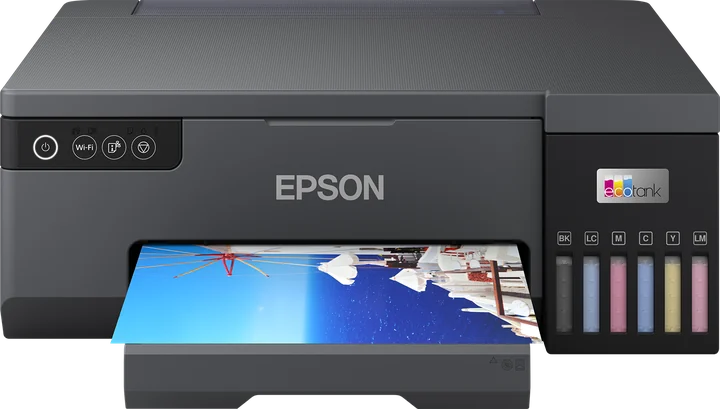
ZoroPrint supports the Epson L8050 as an experimental model. The RIP drives it on Mac, Windows and Linux, but its head geometry is derived from the nearest documented relative and is not yet confirmed on a real L8050. Convert it with white in the light cyan and light magenta tanks, then print the channel test on film before your first job.
An L805 successor with a different head
The L8050 is the successor of the L805, the printer ZoroPrint was born on. It keeps the A4 format and the 216 mm print width. The head is new: 180 nozzles per colour (PrecisionCore), where the L805 has 90. The RIP drives it over the same raw command set as the L805.
The L8050 is not in Gutenprint, the open driver our profiles are checked against. So we derived its geometry from the nearest documented relative: an XP-8500-style 180-nozzle head. The print modes are the same set the L805 uses, and the channel offsets follow the same claria ink group. None of this is confirmed on a physical L8050.
What we know, and what we need from you
| Item | Status on the L8050 |
|---|---|
| Command set | Same raw command set as the L805 |
| Head geometry (180 nozzles) | Derived from an XP-8500-style head, not confirmed |
| Channel offsets | Taken from the documented relative, not measured |
| Print width | 216 mm, A4 |
If you own a converted L8050, print the channel test on film and send us a photo of it. It is a maintenance print and never uses a Free job. Owners who send the photo get a founder seat.
Converting an L8050: white in light cyan and light magenta
The L8050 has six channels: light cyan, light magenta, magenta, cyan, black and yellow. The RIP's L8050 profile expects the white in the light cyan and light magenta tanks. This is a real difference from the L805, which starts with white in the magenta and cyan tanks. If your kit uses another layout, change the ink layout in the Printer tab.
We do not give firmware facts. Follow your conversion kit's instructions. Converting the printer is at your own risk and ends Epson's warranty.
When the printer reports its name over USB, the RIP matches an L8050 to the L8050 profile, not to the L805. Check the Printer tab anyway before the first print.
Starting settings
Start from the RIP defaults below. First print the channel test, then a small test sheet.
| Setting | Default |
|---|---|
| Resolution | 1440 × 720 (also 720 × 720 and 1440 × 1440) |
| Ink limits | C 80 %, M 80 %, Y 70 %, K 70 % |
| Total ink limit | 200 % |
| GCR | 60 % |
| White | Density 80 %, choke 0.1 mm, smart choke on |
| Order | Colour first, white on top |
What can go wrong on an L8050
- Channels out of register. The offsets are not measured on this head yet. Colour can sit a little off the white, so check edges under a loupe and send us a photo.
- Wrong colours. A kit with white in the cyan and magenta tanks prints blue or pink with this profile. Print the channel test and use the “Wrong colours?” assistant.
- Banding. A 180-nozzle head shows clogged nozzles as fine lines too. The banding guide has the order of checks.
- White settling in the light cyan and light magenta lines. Use the white ink care routine.
- A4 only. The RIP offers A4 (210 × 297) sheets on the L8050, inside its 216 mm width.
Mac, Windows, Linux and the licence
- macOS 13 or later, including Apple Silicon. Windows 10/11 64-bit. Linux x64.
- USB, or the network on raw port 9100 if your printer is on the network. Read the port 9100 trap first.
- No Epson driver for the job and no dongle. The licence is tied to your account.
- Free needs internet for each print. Paid plans print up to 30 days offline.
Related
- Epson L805: the predecessor, supported and the base of ZoroPrint.
- Epson L18050: the A3+ model with the same head, also experimental.
- Converting the L805 and L1800 and the channel test.
Download ZoroPrint and print the channel test on your L8050.
Stiahnuť zadarmoČasté otázky
- Is the Epson L8050 supported?
- Yes, as an experimental model. The RIP drives it, but its head geometry is derived from an XP-8500-style head and is not yet confirmed on a real L8050.
- Can I use my L805 settings on the L8050?
- Not as they are. The L8050 has a 180-nozzle head and its own profile, and it expects white in light cyan and light magenta. Start from the defaults and print the channel test.
- What if my kit put white in the cyan and magenta tanks?
- Change the ink layout in the Printer tab, or let the “Wrong colours?” assistant set it from the channel test.
- Can I use it today?
- Yes, for test prints and careful jobs. Check every print until the channel test and test sheets look right, and send us the photo.