
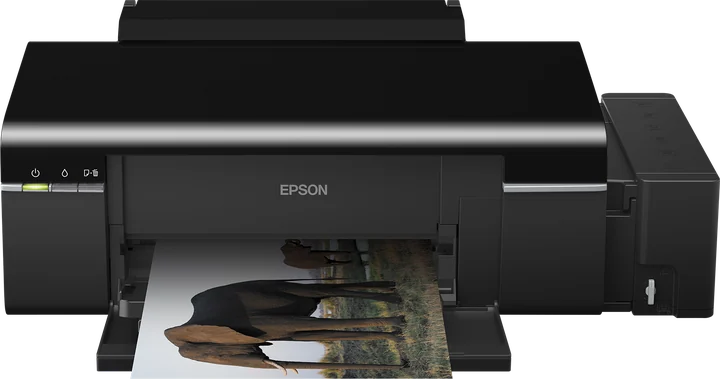
Yes. The Epson L800 is supported in ZoroPrint on macOS, Windows and Linux, with the same head and command set as its twin, the L805. You need an L800 converted to DTF inks, PET film, powder and the RIP. The L800 connects by USB only.
The L800 and the L805: what is the same, what is not
For the RIP, the table shows the whole difference.
| Epson L800 | Epson L805 | |
|---|---|---|
| Format and width | A4, 216 mm | A4, 216 mm |
| Head | 90 nozzles per colour, 1/90 inch | 90 nozzles per colour, 1/90 inch |
| Command set | Same as the L805 | Same as the L800 |
| Default ink layout | White in M + C | White in M + C |
| Connection | USB only | USB and Wi-Fi |
| Byte-for-byte check | Uses the same head profile | Checked against the reference driver |
So everything that works on an L805 works on an L800 in the same way. The one practical change is the cable. The L800 has no Wi-Fi, so it must sit where a USB cable reaches the computer that runs the RIP.
Converting the L800
The L800 has six channels: cyan, magenta, yellow, black, light cyan and light magenta. A DTF kit fills two of them with white. ZoroPrint starts the L800 with white in the M + C tanks, cyan in light cyan and magenta in light magenta. This is the layout of the L805 we tested in a print shop in October 2026, and the L800 shares it because the head is the same.
If your kit put white in light cyan + light magenta, pick that layout in Printer › Ink settings › Inks in the printer. For the conversion steps, follow your kit's instructions. A conversion is done at your own risk and ends Epson's warranty. Then print the channel test on a strip of film. It shows which tank holds white and which holds each colour, and it never uses a Free job.
Buying a used L800 for DTF
The head decides whether a used L800 is a good DTF printer. A worn head from a photo printer that sat with dried dye ink will not print reliable white.
- Ask the seller for a fresh nozzle check before you pay. Every line must be complete in all six colours.
- Ask which ink it ran. Regular Epson dye ink is not DTF ink; your kit's instructions cover the change.
- Check the model name. The L805 adds Wi-Fi. The L8050 is a newer printer with a 180-nozzle head and an experimental profile.
- Plan where it sits. With USB only, the printer and the computer stay close together.
Starting settings for the L800
Start with the RIP's defaults. They are the same as on the L805, because the head is the same.
| Setting | Default |
|---|---|
| Resolution | 1440 × 720 (the everyday setting) |
| Ink limits | C 80 %, M 80 %, Y 70 %, K 70 % |
| White density | 80 % |
| White choke | 0.1 mm, smart choke on |
| Total ink limit | 200 %, GCR 60 % |
Change a value only after a test print on film. If transfers crack, read ink limits and cracking. If white shows past the colour edge, read white halo.
What goes wrong on an L800
- The printer is not in the list. On macOS, choose USB direct and press refresh; a sleeping printer sometimes needs a second try. On Linux, your user must be in the lp group. On Windows, choose System and pick the printer.
- Wrong colours. A kit with white in light cyan + light magenta and an RIP still on the M + C default gives blue, pink or washed-out prints. The channel test and the “Wrong colours?” assistant fix the mapping.
- Light lines across the print. One missing nozzle on a 90-nozzle row prints a light line on every pass. Print a nozzle check, then follow the banding guide.
- White fades. White pigment settles within days. Stir the white tanks daily and print a purge strip every 2–3 days, as the white ink care guide explains.
- The design is too wide. The maximum print width is 216 mm. For A3+ work, use an L1800.
Compatibility
- macOS 13 or later (Apple Silicon and Intel), Windows 10 and 11 64-bit, and Linux x64 (.deb or AppImage).
- USB only: USB direct on macOS and Linux. Network printing is not an option on this model.
- No Epson driver renders the job. On Windows, the driver that Windows installs only passes the raw data through.
- No dongle. The licence is on your account, as a signed token for each computer.
- Paid plans print up to 30 days offline. The Free plan needs internet for every print: 30 print jobs a month, one computer.
Related printers and guides
Compare the L800 with its Wi-Fi twin, the Epson L805, and with the A3+ Epson L1800. For setup, read connecting by USB or network and converting an L1800 or L805.
Download ZoroPrint, plug in your L800 and print the channel test first.
Preuzmi besplatnoČesta pitanja
- Is the L800 the same as the L805 for DTF?
- For the RIP, nearly. They share the head, the command set, the 216 mm width and the default ink layout. The L805 adds Wi-Fi; the L800 is USB only.
- Can I print to an L800 over the network?
- No. The L800 has no network connection, so ZoroPrint drives it by USB.
- Do I need the Epson driver?
- No. On macOS and Linux, ZoroPrint talks to the printer over USB directly. On Windows, the driver that Windows installs by itself only passes the raw data through.
- Does it work on an Apple Silicon Mac?
- Yes. ZoroPrint runs on macOS 13 or later on Apple Silicon and Intel, and finds the L800 under USB direct.