
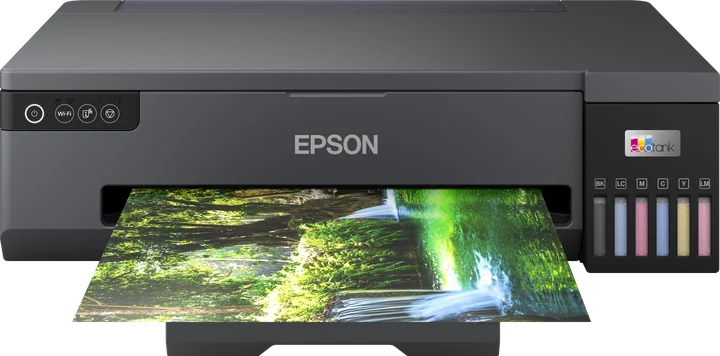
The Epson L18050 runs in ZoroPrint as an experimental model, on Mac, Windows and Linux. The RIP prints to it with geometry derived from an XP-8500-style 180-nozzle head, which no one has yet confirmed on a real L18050. You need a DTF conversion with white in light cyan and light magenta, A3+ film, and a channel test before real work.
The L1800's successor, still unconfirmed
The L18050 follows the L1800, the most converted DTF printer in the world. Like the L1800, it is A3+ with a 329 mm print width. Unlike it, the L18050 has 180 nozzles per colour, where the L1800 has 90. The L1800 is supported in ZoroPrint; the L18050 is not there yet.
Gutenprint, the open driver our profiles are checked against, has no L18050. We took the geometry from the nearest documented relative, an XP-8500-style head. The L18050 uses the same print modes as the L1800 family and the same channel offsets as the claria ink group. Until someone prints on a real L18050, these remain our best estimate.
If you have a converted L18050, you can confirm it. Print the channel test on a strip of film and send us the photo. Owners who do get a founder seat. The test is a maintenance print, so it does not use a Free job.
Converting the L18050
The six channels are light cyan, light magenta, magenta, cyan, black and yellow. The L18050 profile puts the white in the light cyan and light magenta tanks. That differs from the L1800, which ZoroPrint starts with white in magenta and cyan. If your kit follows the L1800 habit, change the ink layout in the Printer tab.
On a correct conversion, the light cyan and light magenta blocks of the channel test come out white. Magenta, cyan, black and yellow print in their own colour. If two blocks print the same colour, or one prints nothing, the channel test guide says what to do.
Check that your kit is made for the L18050 and follow its instructions. We do not give firmware advice. The conversion is at your own risk and ends Epson's warranty.
Where to start: defaults for an A3+ head
Use the defaults for your first sheets. Print the channel test, then a small test sheet, not a full A3+ gang sheet.
| Setting | Default |
|---|---|
| Resolution | 1440 × 720; 720 × 720 and 1440 × 1440 also offered |
| Ink limits | C 80 %, M 80 %, Y 70 %, K 70 % |
| Total ink limit | 200 % |
| GCR | 60 % |
| White density / choke | 80 % / 0.1 mm, smart choke on |
| Screening | Error diffusion |
| Layers | Colour first, white on top |
Typical L18050 problems
- Colour and white out of register. The channel offsets are not measured on this head. Across a 329 mm sheet, a small error shows at every edge. Send us a photo.
- Blue, pink or one-colour prints. The tanks and the profile disagree. Print the channel test and run the “Wrong colours?” assistant.
- Horizontal lines. Start with a nozzle check, then follow the banding guide.
- Thin white after a few idle days. White settles in the light cyan and light magenta lines. See white ink care.
- Sheet sizes. The RIP offers A4, A3 and A3+ (329 × 483) sheets on the L18050, up to 329 mm wide.
What it runs on
- macOS 13+, Apple Silicon and Intel. Windows 10/11 64-bit. Linux x64 (.deb, AppImage).
- USB, or raw port 9100 if your printer is on the network: how to connect.
- No Epson driver for the job and no dongle. Your licence is on your account.
- The Free plan needs internet for each print; paid plans work up to 30 days offline.
- The channel test, head alignment and nozzle check never use a Free job.
Related pages
- Epson L1800: the predecessor, supported.
- Epson L8050: the A4 model with the same head, also experimental.
- Converting the L1800 and L805, ink limits and cracking.
Download ZoroPrint and print the channel test on your L18050.
Preuzmi besplatnoČesta pitanja
- Is the Epson L18050 supported?
- Yes, as an experimental model. Its head geometry is derived from an XP-8500-style head and is not yet confirmed on a real L18050.
- Is the L18050 a drop-in replacement for the L1800?
- Not in the RIP. It has a 180-nozzle head, its own profile and white in light cyan and light magenta by default. Print the channel test before you trust it.
- What happens if my channels are swapped?
- You get wrong colours, such as blue where you expect black. The channel test and the “Wrong colours?” assistant fix the mapping.
- Can I print A3+ gang sheets on it today?
- The RIP offers A3+ on the L18050. Start with small test sheets until the channel test and register look right.