
Clever DTF,
from file
to film.
The RIP that builds the white underbase, nests the gang sheet and keeps your Epson alive. Mac, Windows and Linux. Free for one printer.
Available for macOS, Windows and Linux
“DTF RIPs are from 2012. They cost $400, look like Windows XP and don't know what a gang sheet is. ZoroPrint is built for how people print today: from the browser, from the phone, straight from the order.”
Four steps. Zoro checks two of them.
Every step runs on your own computer. Zoro watches the two that usually cost film.
- 01
Drop the file
PNG, PSD, TIFF, WebP, even HEIC straight from the phone. Physical size comes from the file's DPI — no guessing.
- 02
Preflight
Semi-transparent pixels, low DPI, near-white backgrounds, hairlines: flagged with a one-click fix before they cost you film.
“Two edges will halo. Want me to choke them?”
- 03
Nest & underbase
Auto-nesting fills the sheet; the white underbase is generated with choke, highlight white and less white under dark colours.
- 04
Print & track
Colour first, white on top, straight over USB or network. Progress on the desktop — and soon on your phone.
“42 transfers, 0.9 ml of white. Nice.”
Pick your model. It works out of the box.
Head geometry, channel mapping and a starting ICC profile per model. Not on the list?
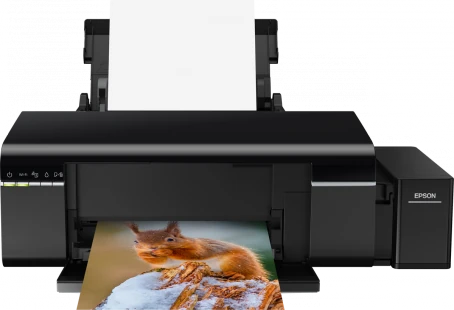
- Header and weave verified against the reference driver
- White in M + C or LC + LM — one click
- ICC profile import (v2 / v4)
- Channel test in 5 minutes
What does a transfer cost you?
Film, powder and measured ink — per job, per transfer, before you print. Nesting typically saves a quarter of the film.
Below every RIP on the market. On purpose.
30-day money-back guarantee
- 1 computer
- 10 print jobs / month
- Cost per job, ink used, cost per customer
- Hot folder and Photoshop script
- 1 computer
- Unlimited print jobs
- Cost per job, ink used, cost per customer
- Hot folder and Photoshop script
- 5 computers
- Unlimited print jobs
- Cost per job, ink used, cost per customer
- Hot folder and Photoshop script
EPSON L1800 × ZOROPRINT
From your screen to your printer.
Watch the artwork you arrange in ZoroPrint become the sheet coming out of your L1800.
Print it right.
Free for one printer, forever. No card, no dongle, no drama.
By downloading and using ZoroPrint, you agree to its terms and conditions. Direct downloads are not code-signed yet. The first time: on macOS, open the app once, then System Settings → Privacy & Security → Open Anyway; on Windows, More info → Run anyway.